


Blog Details

Salesforce AppExchange Hints #4: Streamlining Admin & Dev Work with ORGanizer for Salesforce
(A must-have Chrome & Edge extension for Salesforce pros)


There are many effective tools in the Salesforce ecosystem that are intended to increase productivity and streamline daily tasks. Having the proper utilities can significantly increase productivity and lower friction as consultants, administrators, and developers manage numerous organizations, projects, and environments.
This edition of AppExchange Hints delves into ORGanizer for Salesforce, one of the most popular add-ons for Salesforce experts. ORGanizer is essential whether you're running several sandboxes, switching between clients, or just want to keep your workspace organized.
What is Salesforce’s ORGanizer?
ORGanizer for Salesforce is a free browser extension that makes it easier for users to manage multiple Salesforce organizations. It offers features like color-coding, credential management, tab organization, and productivity shortcuts directly within your browser.
ORGanizer significantly reduces confusion and streamlines daily tasks for Salesforce administrators and developers who frequently move between production orgs, sandboxes, scratch orgs, and client environments.
Major Features of ORGanizer for Salesforce
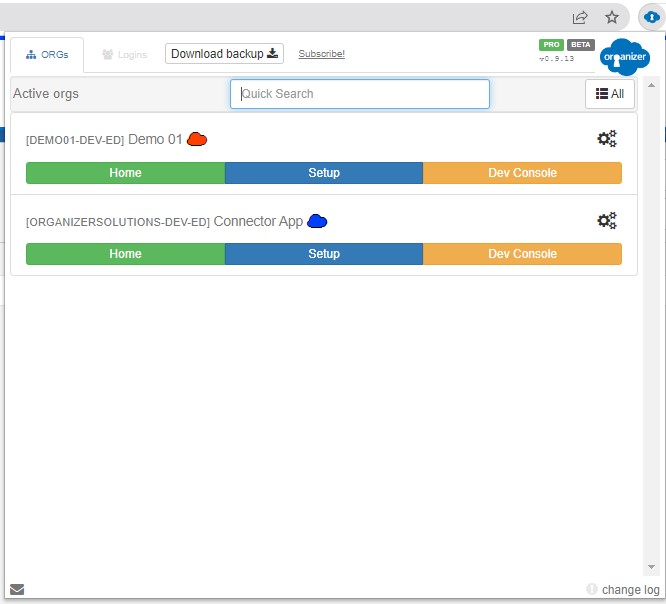
🔹 Easy Org Identification
Its ability to quickly assist users in identifying various organizations is one of its main advantages. Users can easily differentiate between production environments and sandboxes by giving each organization colors and labels, instead of just names. By avoiding crucial errors, this distinct visual division significantly lowers the possibility of unintentional changes in the incorrect organization and ultimately saves numerous hours.
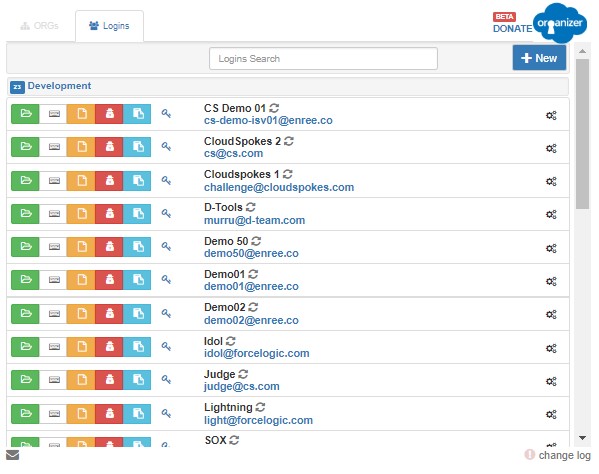
🔹 Credential & Access Management
All of your Salesforce login credentials are safely stored and managed in one location by ORGanizer. It supports multiple users and identities, making it simple to switch between environments, and allows you to log in to your saved organizations with just one click. Secure credential encryption protects your data, and you have instant access to the organizations you have used most recently. Everything you require is arranged and readily available, eliminating the need to search through password managers or spreadsheets.
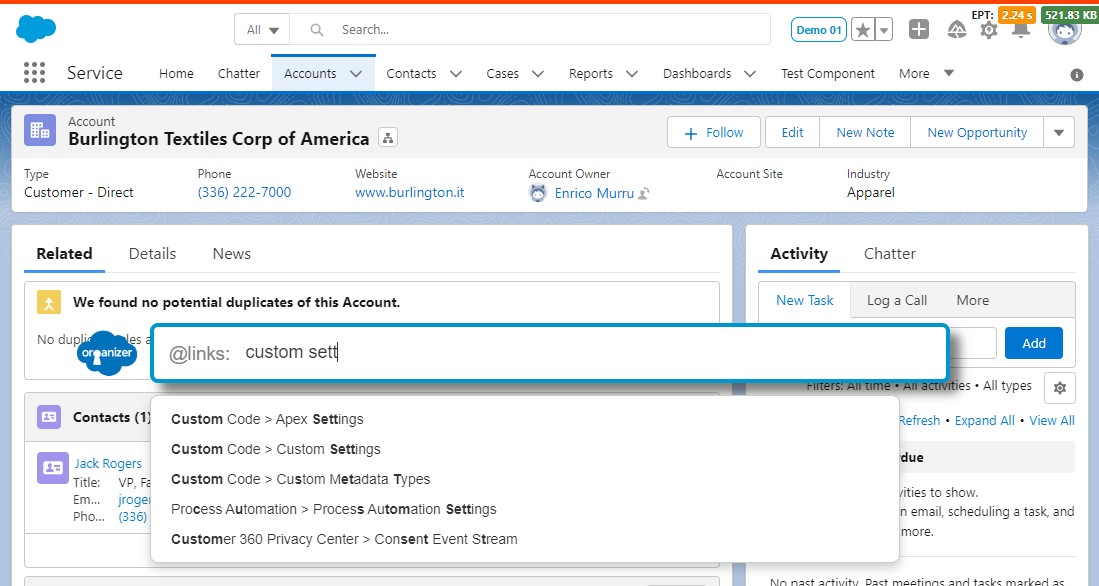
🔹Quick Links — Fast Navigation Everywhere
Quick Links opens a small popup with a search bar that lets you instantly navigate to any part of Salesforce. Just start typing, and it will surface Setup pages, objects, fields, flows, Apex classes, or any other area you need. It eliminates the need to click through multiple menus and helps you jump directly to the right place in seconds. Quick Links is the fastest way to move around Salesforce and is especially useful when you’re switching between tasks or troubleshooting.
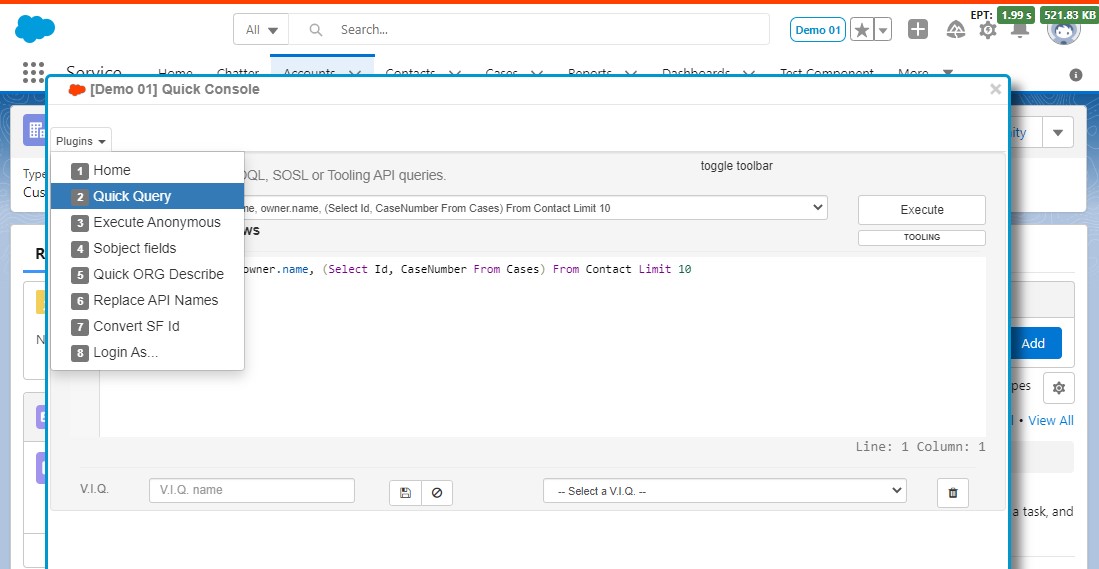
🔹 Quick Console — Your All-In-One Salesforce Power Panel
Quick Console brings a lightweight, versatile command center directly into your Salesforce workspace. With a single click, it opens a compact but powerful console where you can run SOQL/SOSL queries, execute Apex anonymously, inspect object fields, and perform quick org diagnostics—all without leaving the page you’re on.
The tool includes a clean editor with syntax highlighting, a dropdown of productivity plugins, and built-in utilities like replacing API names or converting Salesforce IDs. Whether you’re pulling related records, troubleshooting automation, or testing code snippets, Quick Console puts the essential developer and admin tools at your fingertips
🔹 Change Set Helper — Smarter, Faster Deployments
Change Set Helper enhances Salesforce deployments by giving you clearer visibility and better control over your change sets. With features like metadata grouping Change Set Helper streamlines the entire process—making deployments cleaner and faster.
Conclusion
One of the most straightforward yet practical tools for Salesforce professionals is ORGanizer. It helps you work more efficiently, maintain organization, and make fewer mistakes when managing several environments since it was created with real-world productivity in mind.
ORGanizer is a must-try if you want to improve your everyday Salesforce operations. Are you prepared to simplify your Salesforce tasks?
AppExchange: ORGanizer for Salesforce
Stay tuned for the next AppExchange tip from Uni5 Consulting.
book a demo

