


Blog Details

Unlocking the Power of AI Agents: A Deep Dive into Salesforce's Agentforce Builder and Its Beta Evolution

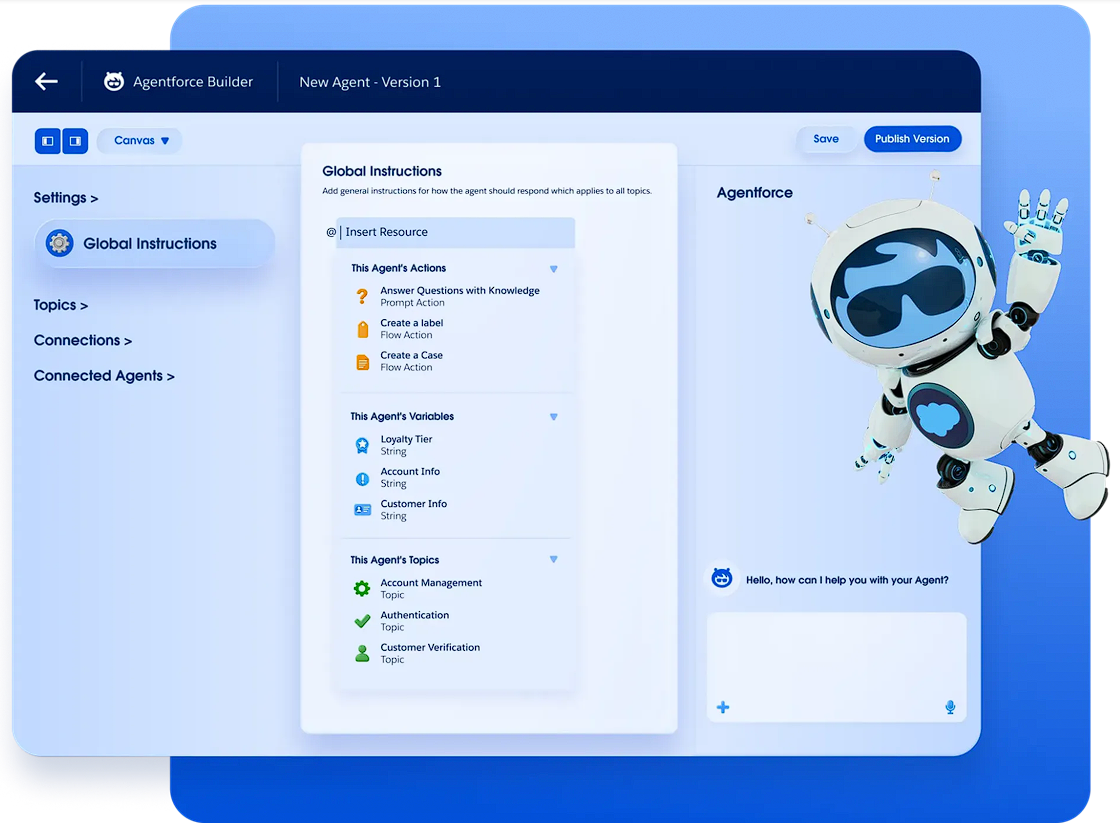
In the rapidly evolving world of AI-driven business solutions, Salesforce continues to push boundaries with tools that empower organizations to build intelligent, autonomous agents. Enter Agentforce Builder, a low-code platform designed to create and customize AI agents that integrate seamlessly with the Salesforce ecosystem. Whether you're streamlining customer service, automating sales processes, or enhancing employee productivity, Agentforce Builder puts the power of AI at your fingertips without requiring extensive coding expertise.
But that's not all - Salesforce has recently rolled out Agentforce Builder (Beta), an enhanced version that introduces even more intuitive features, including a unified workspace for drafting, testing, and deploying agents. This beta iteration addresses key challenges in agent development by offering hybrid reasoning capabilities, making agents more reliable and predictable. In this blog post, we'll explore the core components of Agentforce Builder, with a focus on creating actions, writing topics, the critical roles of Flows and Prompt Builder, and the groundbreaking addition of Agent Script in the beta version.
Getting Started: What Makes Agentforce Builder Stand Out?
Agentforce Builder is essentially a conversational workspace where teams can build agents tailored to specific industries or use cases. It starts with AI guidance to kick off the process, then allows refinement through natural language, a low-code canvas, or even pro-code scripting. The beta version unifies these elements into a single, modern interface, collapsing the traditional build-test-deploy cycle into a more fluid experience. This means faster iteration and deployment, with built-in observability to monitor agent performance and ensure reliability.
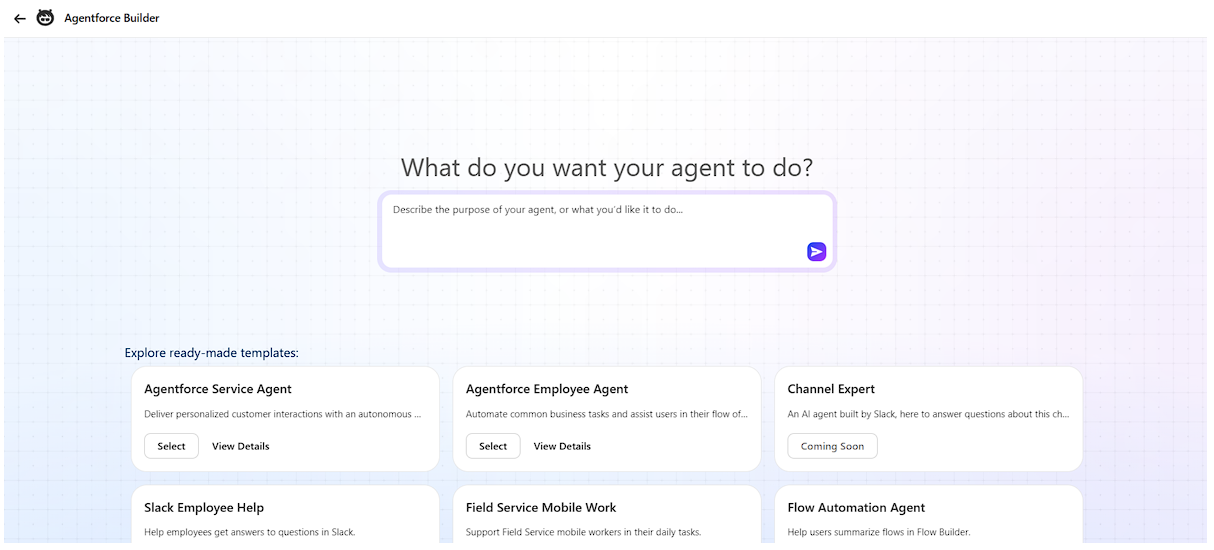
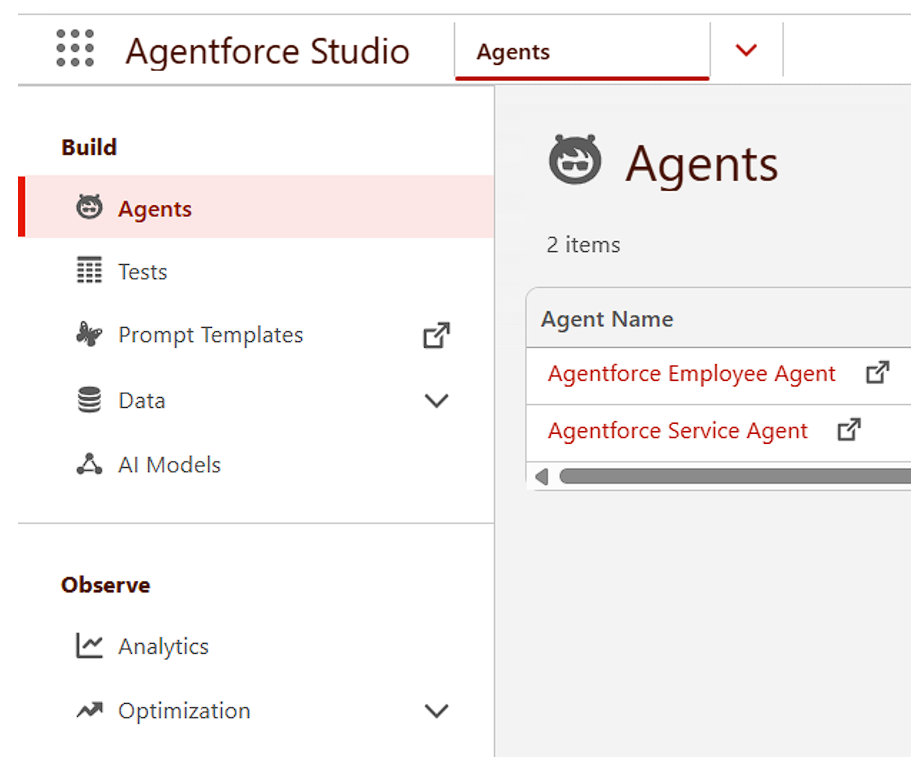
For those familiar with the legacy version, the beta represents a significant upgrade: it's more admin-friendly, supports natural-language interactions with an AI assistant, and emphasizes deterministic workflows alongside flexible AI reasoning. You can access it via Agentforce Studio in your Salesforce org!
Crafting Actions: The Building Blocks of Agent Functionality
At the heart of any AI agent is its ability to act - performing tasks based on user inputs or triggers. In Agentforce Builder, actions are created using a variety of reusable components that connect to your existing Salesforce infrastructure. These include (among others):
- Flows: Pre-built automation workflows from Salesforce Flow Builder.
- Apex Classes: Custom code for more complex logic.
- MuleSoft APIs: For integrating external systems and data sources.
- Prompt Templates: Customizable AI prompts to guide responses or decisions.
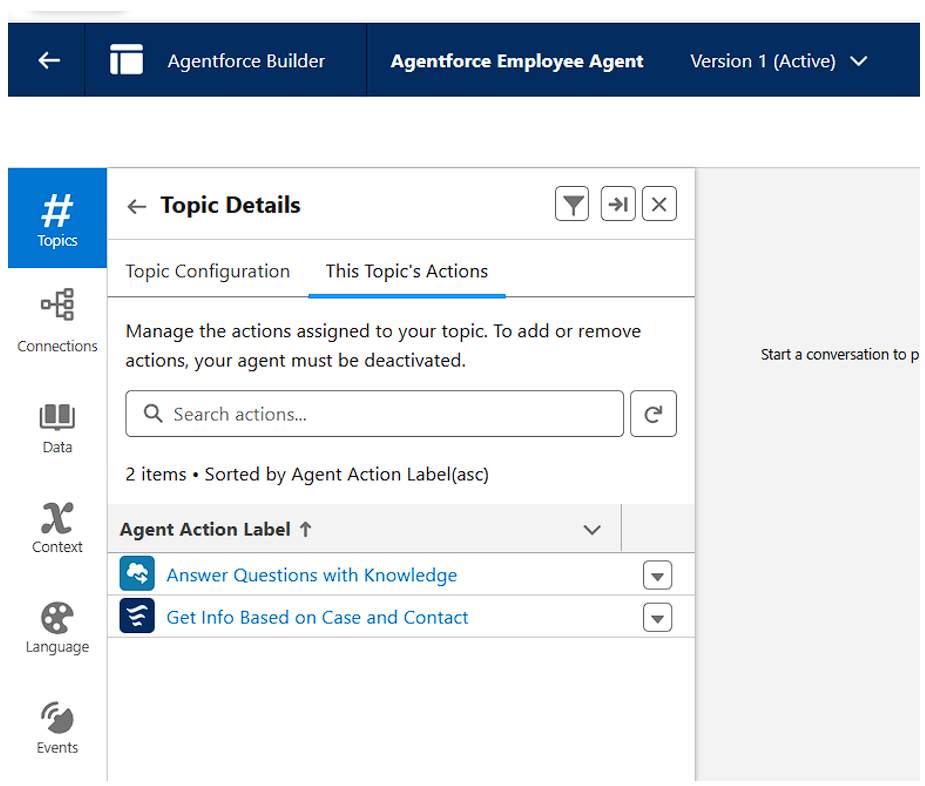
To create an Action, you start by defining what the agent should do (the Topic) such as updating a record, sending an email, or querying external data.
Then, link it to these components in the builder's interface. The beta version enhances this with autocomplete suggestions and a visual editor, making it easier to assemble actions without deep technical knowledge.
The Crucial Role of Flows in Actions
Flows are indispensable in the context of actions because they provide a reliable, no-code way to automate multi-step processes. Think of Flows as the "muscle" behind your agent's decisions - they handle deterministic tasks like data validation, record creation, or approval routing with precision. In Agentforce Builder, you can directly incorporate existing Flows as actions, ensuring that your AI agents don't just think intelligently but execute flawlessly.
Why are Flows so important? AI agents often deal with ambiguity in user queries, but Flows add structure, reducing errors and ensuring compliance with business rules. For instance, a service agent might use a Flow to escalate a high-priority ticket automatically after initial assessment. In the beta builder, Flows integrate even more seamlessly, allowing real-time testing to verify that actions scale from simple queries to complex workflows.
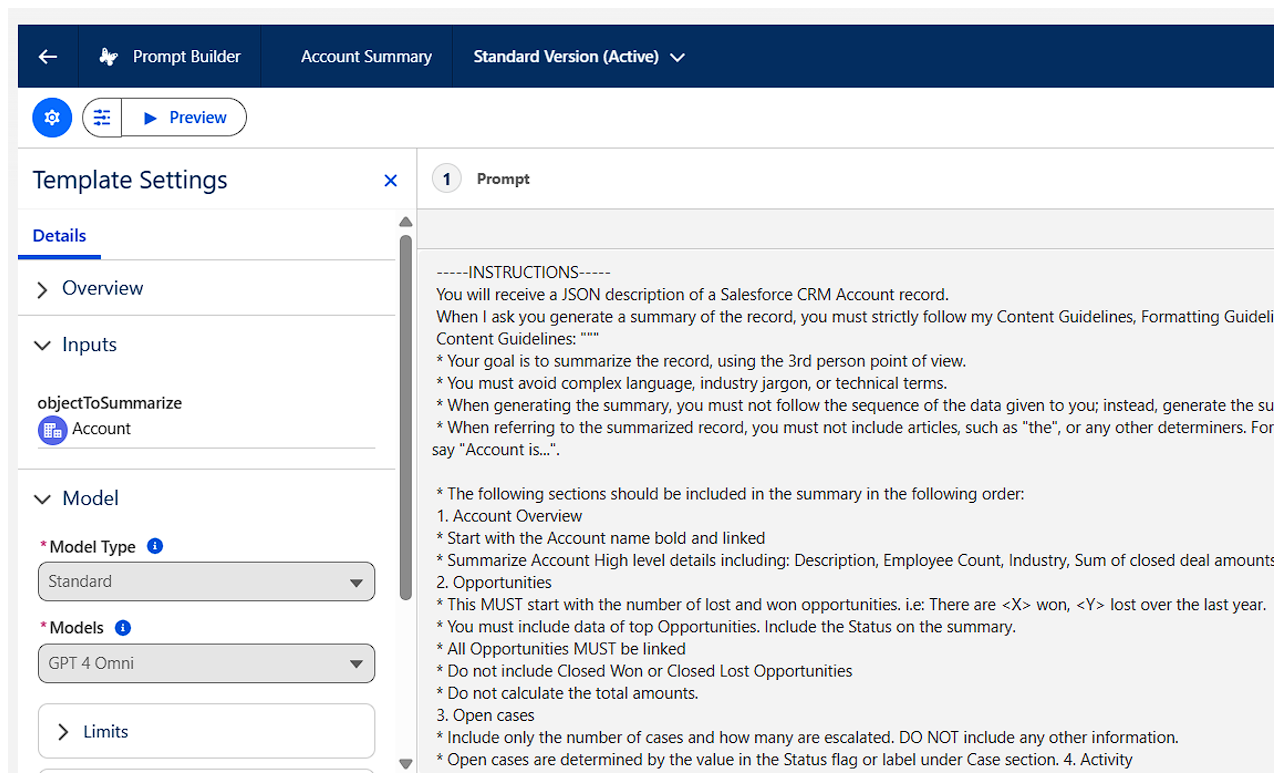
Why Prompt Builder is a Game-Changer for Actions
Equally vital is Prompt Builder, which lets you craft reusable prompt templates that instruct the AI on how to respond or act. Prompts act as the "brain" guiding the agent's reasoning, turning vague user inputs into targeted outputs. In actions, Prompt Builder ensures consistency - for example, generating personalized email responses or summarizing case details based on predefined templates.
Its importance shines in handling natural language variability: without well-structured prompts, agents might misinterpret intents, leading to unreliable results. In Agentforce Builder (especially the beta), you can embed these prompts directly into actions, test them conversationally, and refine for better accuracy. This tool bridges the gap between AI flexibility and business precision, making agents more trustworthy for enterprise use.
Writing Topics: Defining Your Agent's Scope and Intelligence
Topics are the foundational "jobs to be done" for your agent - they outline what the agent listens for and how it responds. In Agentforce Builder, writing topics is straightforward: you define them in natural language, specifying triggers like keywords or intents (e.g., "handle refund requests" or "schedule appointments").
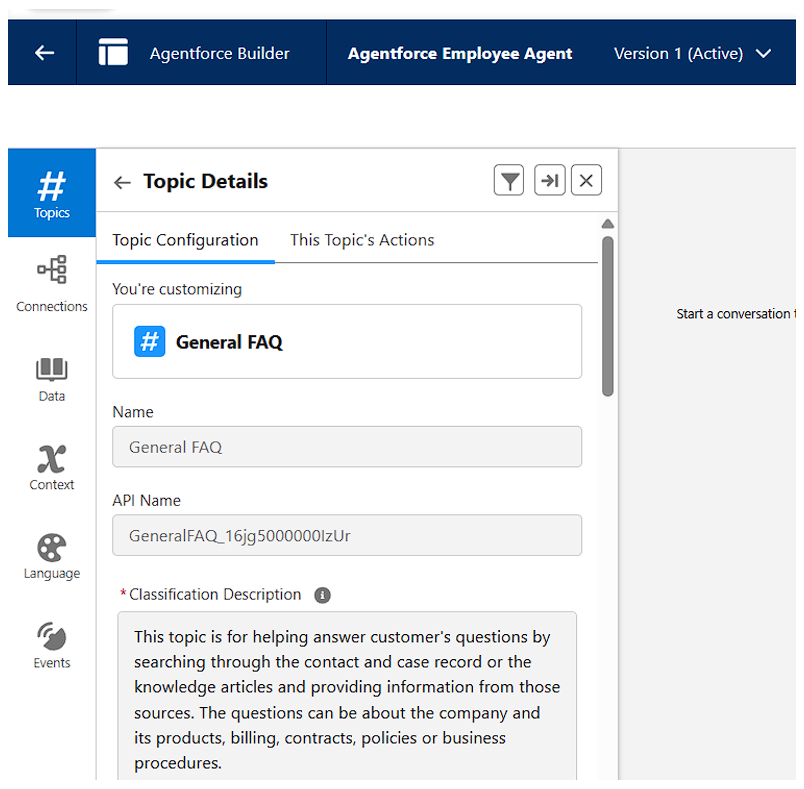
To write effective topics:
- Identify User Intents: Start with common scenarios, using phrases that capture real-world queries.
- Add Instructions: Embed natural language guidelines within the topic, such as "Verify customer identity before proceeding."
- Link to Actions: Assign relevant actions (like Flows or prompts) that the agent can invoke.
- Apply Guardrails: Set boundaries to prevent off-topic responses, ensuring safety and relevance.
The beta version elevates this with AI-assisted drafting, where you can converse with the builder to generate topics automatically. This makes topics more dynamic, adapting to conversational flows while maintaining focus.
Introducing Agent Script: The New Language Revolutionizing Agent Development
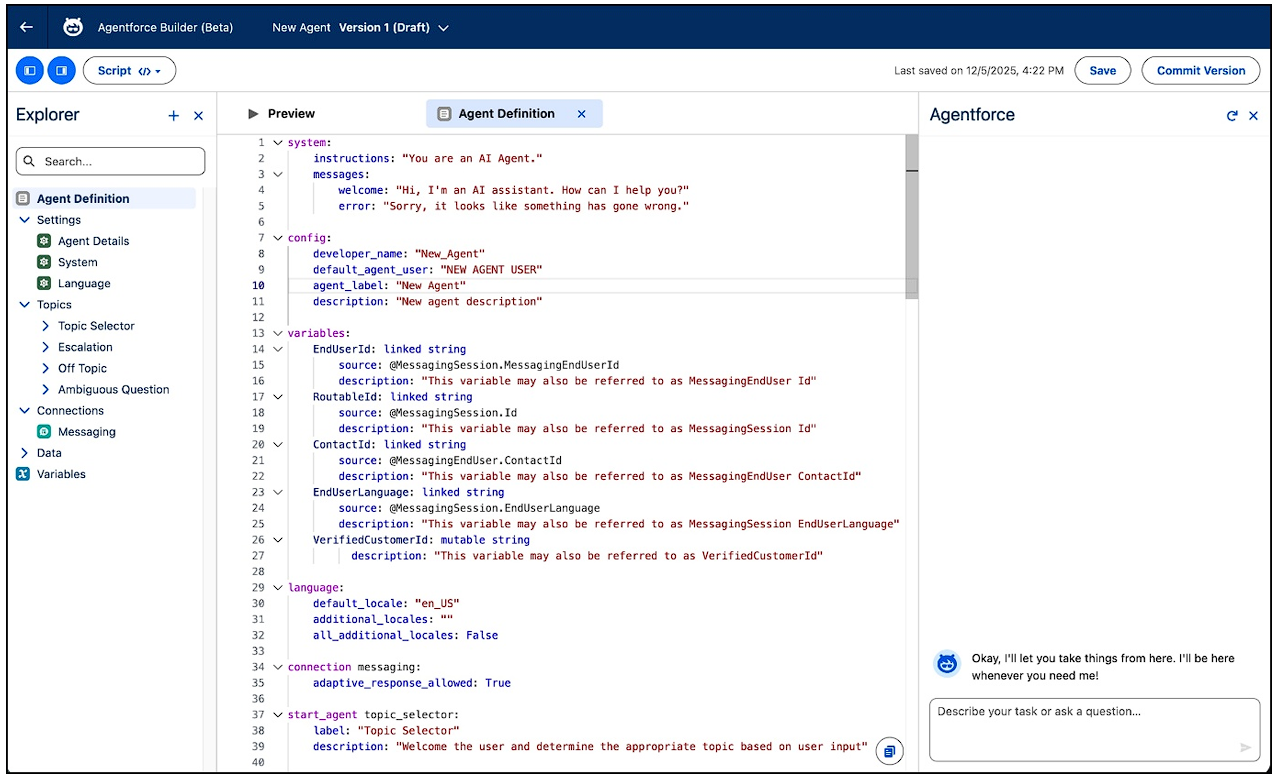
One of the most exciting additions in Agentforce Builder (Beta) is Agent Script: a human-readable scripting language designed specifically for building predictable AI agents. Unlike traditional prompts that rely solely on AI interpretation, Agent Script blends natural language instructions with programmatic elements like conditionals, loops, and precise tool calls.
What is Agent Script?
Agent Script is a declarative, TypeScript-inspired DSL (domain-specific language) that empowers builders to define agent behavior with hybrid reasoning. It uses the Atlas Reasoning Engine to balance LLM creativity (for handling ambiguity) with deterministic logic (for business rules). This results in agents that are auditable, step-by-step reliable, and less prone to hallucinations.
Key features include:
- Conditional Logic: Use "if/then" statements to guide decisions, e.g., "If priority is high, escalate via Flow."
- Tool Integration: Precisely invoke actions like Flows or APIs without ambiguity.
- Workflow Control: Manage context-aware flows that adapt to conversations but follow strict paths.
- Portability: Write scripts in the builder's editor, with autocomplete, or in your IDE via Agentforce Vibes.
In practice, Agent Script shines for complex workflows - such as a sales agent that qualifies leads programmatically while conversing naturally. It's accessible in the beta builder's pro-code view, making it ideal for developers who want control without sacrificing AI's flexibility. As Salesforce puts it, this language ensures "predictable outcomes and reliable, consistent performance for complex business workflows”.
Final Thoughts: Why Agentforce Builder Matters Now
Agentforce Builder, especially in its beta form, democratizes AI agent creation, turning what was once a developer-heavy task into an accessible process for admins and business users alike. By leveraging components like Flows and Prompt Builder for actions, crafting intuitive topics, and harnessing Agent Script for precision, you can build agents that not only boost efficiency but also build trust through reliability.
If you're on Salesforce, dive into the beta today - it's a glimpse into the agentic future. Stay tuned for more updates as this technology matures!
book a demo

